









 ₹https://stores.adityavision.com/electronics-shops/-in-lakhimpur-kheri/-in-kheri-road/aditya-vision-in-kheri-road-lakhimpur-kheri--OFnzoz/articles/how-to-choose-a-laptop-for-work-study-and-everyday-use-in-kheri-road-lakhimpur-kheri--b172e4c3-faa4-4006-802c-7331a2e41884
Aditya Vision, Kheri Road, lakhimpur kheri
Electronics Store in Kheri Road, Lakhimpur Kheri, Uttar Pradesh
JS Plaza, Opposite Bandhan Bank, Kheri Road, lakhimpur kheri, uttar pradesh - 262701
Request A Call Back
Aditya Vision Social Feeds in Kheri Road, lakhimpur kheri
How to Choose a Laptop for Work, Study and Everyday Use in Kheri Road, lakhimpur kheri
Choosing a laptop can feel complicated when you are faced with different processors, RAM configurations, storage options, screen sizes, operating systems and price ranges. A laptop designed for everyday browsing may not be suitable for demanding professional work, while a high-performance machine may be unnecessary for someone who primarily needs it for studying, documents and video calls.
The best approach is to start with what you actually need from the device. Understanding how to choose a laptop based on your work, study requirements, portability and everyday usage can help you avoid paying for specifications you may never use.
For students, professionals and families in Kheri Road, lakhimpur kheri, a laptop can serve multiple purposes, from attending online classes and preparing assignments to working on presentations, managing spreadsheets, joining video meetings and enjoying entertainment. This laptop buying guide explains the key specifications and practical factors worth considering before you make a decision.
Start With What You Need the Laptop For
Before comparing processors or RAM, identify the main purpose of the laptop.
A student may need a device for research, presentations, online learning, browsing and productivity applications. Someone working from home may require a laptop capable of handling office applications, video conferencing and multitasking. A creative professional may have more demanding requirements involving specialised software.
Start by identifying your typical activities.
Consider whether you will primarily use the laptop for:
Online classes and study
Browsing and research
Documents and presentations
Office and professional work
Video meetings
Entertainment and streaming
Programming and development
Photo or video editing
Gaming
Other specialised applications
This is the foundation of how to choose a laptop for students or professionals. Once you know what the laptop needs to do, it becomes easier to determine the specifications required.
Avoid starting with the most expensive configuration and working backwards. Instead, establish your needs first and then choose specifications that provide an appropriate balance of performance, portability and value.
Choosing the Right Processor
The processor is one of the most important components in a laptop because it handles the instructions required to run applications and perform everyday tasks.
When comparing laptops, you may encounter processors from different generations, product families and performance levels. Rather than choosing purely based on a processor's brand or name, consider the specific processor model and the type of work you expect the laptop to perform.
For everyday activities such as browsing, documents, email, video calls and basic entertainment, you may not need the highest-performance processor.
For professional multitasking, programming, content creation or other demanding workloads, a more capable processor may be appropriate.
When evaluating laptop specifications, consider:
Processor generation
Number of cores
Performance requirements of your software
Multitasking needs
Expected battery usage
Overall laptop design
The processor should be considered together with RAM, storage and other components. A laptop's overall performance is determined by how these components work together rather than by the processor alone.
How Much RAM Do You Need?
RAM, or random access memory, allows the laptop to temporarily hold data required by active applications and tasks.
One of the most common questions buyers ask is, how much RAM is enough for a laptop?
The answer depends on how you plan to use the device.
For basic browsing, documents, email and everyday productivity, a moderate amount of RAM may be sufficient. If you regularly keep many browser tabs and applications open at the same time, additional RAM can make multitasking more comfortable.
Professionals using demanding applications may require more memory depending on the software.
Students should also think about how they expect to use their laptop over several years. A device used for study may eventually be required for internships, projects, programming or professional applications.
When comparing laptop RAM, avoid choosing a configuration solely because it has the highest number. Consider the laptop's processor, operating system, storage and intended workload as well.
Choosing SSD Storage and Capacity
Storage determines how much data you can keep on your laptop, including documents, applications, photos, videos and other files.
Modern laptops commonly use SSD storage, which can provide fast system and application performance.
When deciding on storage capacity, consider how much data you expect to keep locally.
A student who primarily works with documents and cloud-based files may have different requirements from a professional who stores large project files or media locally.
Think about:
Operating system requirements
Applications and software
Documents
Photos
Videos
Project files
Games
Local backups
An SSD can contribute to faster boot times and more responsive everyday use compared with traditional storage technologies, depending on the specific system.
If you regularly work with large files, choosing additional storage can be useful. If your requirements are modest and you primarily use cloud storage, you may not need an extremely large internal drive.
A good laptop buying guide should therefore consider both storage type and capacity rather than looking at capacity alone.
What Laptop Screen Size Should You Choose?
Screen size can influence both comfort and portability.
A larger screen can provide more workspace, which may be useful for spreadsheets, presentations, editing and multitasking. However, larger laptops can also be less convenient to carry.
Smaller laptops are generally easier to transport and can work well for students or professionals who regularly move between home, office, college or other locations.
When considering laptop screen size, think about where you will use the device most often.
For Students
Students who carry their laptops to classes, libraries or study spaces may value portability. A reasonably sized display can provide a balance between viewing comfort and mobility.
For Office Work
Professionals who spend long hours working on documents, spreadsheets or presentations may appreciate a larger display, particularly if the laptop is used primarily at a desk.
For Entertainment
If the laptop will also be used for movies and other entertainment, screen quality and viewing comfort may become more important.
Do not forget to consider display resolution, brightness and panel quality alongside physical screen size.
Battery Life and Portability
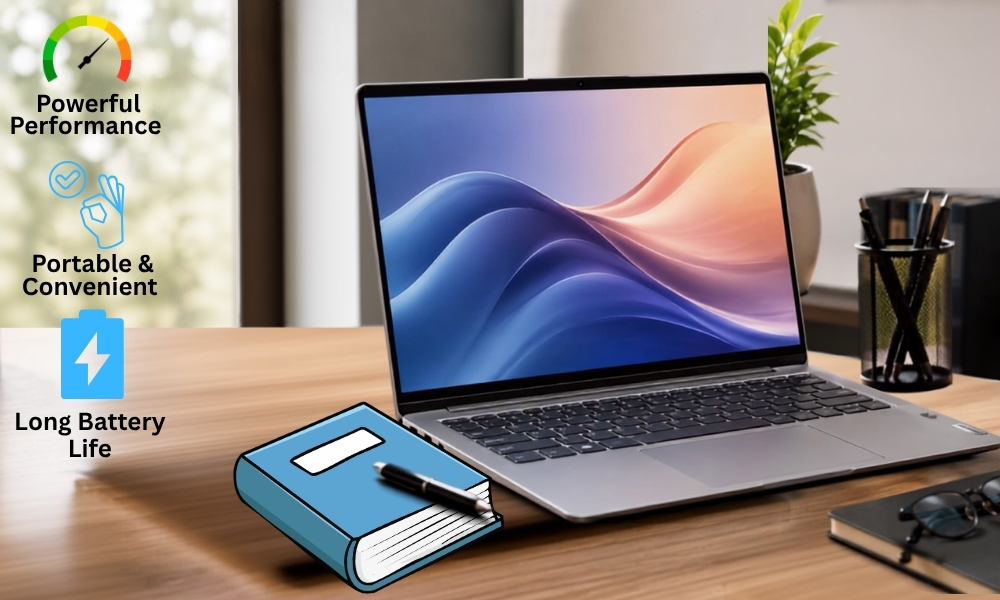
A laptop is designed to provide computing flexibility, so battery life can be an important factor.
If you primarily use the device at a desk near a power outlet, battery performance may be less important. However, students and professionals who travel or move between locations may value longer battery life.
Actual battery performance can vary depending on:
Screen brightness
Applications being used
Processor workload
Connectivity
Power settings
Background applications
Battery condition
Manufacturers may provide battery-life estimates under specific testing conditions, so real-world usage can differ.
Portability is also more than weight. Consider the laptop's overall dimensions, charger size and whether you can comfortably carry it in your daily bag.
For people in Kheri Road, lakhimpur kheri who commute regularly for college or work, finding the right balance between performance and portability can make a noticeable difference to everyday convenience.
Laptop Features for Students and Professionals
Different users prioritise different features.
Students
Students may benefit from:
Comfortable keyboard
Reliable webcam
Good microphone quality
Suitable battery life
Portable design
Adequate RAM and storage
Wi-Fi connectivity
Useful USB and display ports
These features can support online classes, research, assignments, presentations and everyday communication.
Professionals
For office users, useful considerations may include:
Comfortable keyboard and trackpad
Webcam for video meetings
Suitable processor performance
Adequate multitasking capability
Reliable connectivity
Appropriate screen size
Battery life
Security-related features where required
Everyday Users
For general home use, focus on responsiveness, ease of use, display quality, battery performance and sufficient storage.
The best laptop for students will not necessarily be the best laptop for office work. Similarly, an everyday user may not need the same performance as someone running demanding professional applications.
Consider the Keyboard, Trackpad and Connectivity
Specifications are important, but the physical experience of using a laptop matters too.
A comfortable keyboard can make a major difference if you type regularly. Look at key spacing, travel and overall layout. The trackpad should also feel responsive and comfortable for everyday navigation.
Connectivity is another practical consideration.
Think about the devices you may connect to your laptop, such as:
USB accessories
External displays
Headphones
External storage
Printers
Memory cards
Other peripherals
Check the available ports and connection standards before buying.
If you regularly connect an external monitor or other accessories, insufficient ports can become inconvenient. In some cases, an adapter or docking solution may solve the problem, but checking compatibility in advance is easier.
Common Laptop Buying Mistakes
Knowing how to choose a laptop also means avoiding some common mistakes.
Choosing Specifications You Do Not Need
A high-end processor or large amount of RAM may not provide meaningful value if your everyday activities are basic.
Buying Based Only on Processor Name
Processor families include different performance levels. Look at the complete specification rather than choosing based on a brand name alone.
Ignoring RAM
A laptop with an appropriate processor can still feel limited for multitasking if the memory configuration does not match your workload.
Choosing Too Little Storage
Applications and personal files accumulate over time. Consider your expected storage needs rather than focusing only on your current requirements.
Ignoring Portability
A powerful laptop may not be the most practical choice if you carry it every day.
Overlooking the Keyboard and Display
You may spend several hours using your laptop. Comfort and display quality should therefore be part of the buying decision.
Focusing Only on Price
The lowest-priced laptop may not provide the performance, storage, battery life or features required for your intended use.
Forgetting Future Requirements
Think about how you expect to use the laptop over the next few years. A slightly more capable configuration may provide greater flexibility if your requirements are likely to increase.
Final Laptop Buying Checklist
Before choosing your laptop, review this simple checklist:
Identify your primary use: study, work, entertainment or specialised tasks.
Compare suitable laptop specifications for your workload.
Choose an appropriate processor.
Determine how much laptop RAM you need.
Choose suitable SSD storage capacity.
Consider the right laptop screen size.
Check display resolution and quality.
Compare expected battery performance.
Consider weight and portability.
Check keyboard and trackpad comfort.
Review available USB and display ports.
Check webcam and microphone quality if you attend video meetings.
Consider your software requirements.
Compare operating-system compatibility.
Think about your future computing needs.
Compare overall value rather than focusing only on price.
Choose a Laptop That Fits Your Everyday Needs
Learning how to choose a laptop becomes much simpler when you begin with your intended use. Students, professionals and everyday users can have very different requirements, so there is no single laptop that is ideal for everyone.
The right choice should balance processor performance, laptop RAM, SSD storage, screen size, battery life, portability and connectivity. You should also consider how your requirements could change over the next few years.
For shoppers in Kheri Road, lakhimpur kheri, comparing laptops in person can be particularly useful. You can assess screen size, keyboard comfort, portability and overall design while also considering the specifications required for your work or studies.
Aditya Vision's portfolio includes digital gadgets such as laptops, mobile phones and tablets, alongside its wider range of consumer electronics and home appliances. This makes the category relevant for customers looking to compare technology products for different everyday requirements. (adityavision.in)
Whether you are searching for how to choose a laptop for students, looking for a laptop for office work or simply need a reliable device for everyday computing, start with your actual requirements before comparing models.
If you are exploring laptop options in Kheri Road, lakhimpur kheri, use this guide to create your requirements and then compare suitable choices at Aditya Vision. The right laptop is not necessarily the most powerful or the most expensive one. It is the one that delivers the performance, convenience and features you need for the way you work, study and live.